All-in-One PDF & Docs Reader
OCEAN FEATHER TECHNOLOGY INCProductivity
3.789.00 Reviews
- Version
- 1.1.3
- Installs
- 100.00K
- Age Rating
- Everyone
Screenshots
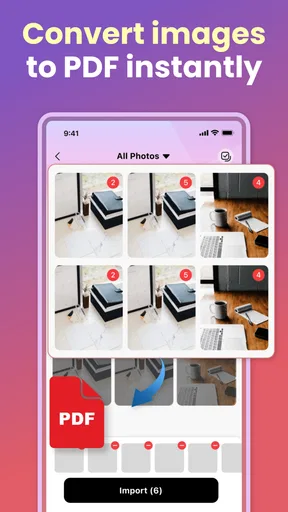
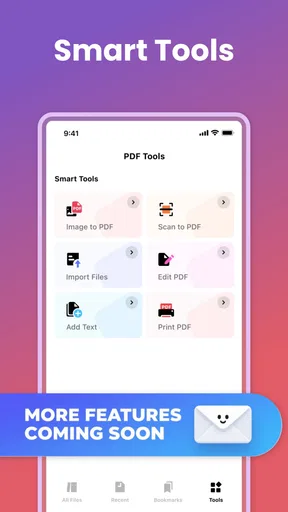
Our Review of All-in-One PDF & Docs Reader
 Analysis by Appyee
I approached All-in-One PDF & Docs Reader as a practical productivity tool rather than a flashy office suite. Its purpose is straightforward: help me open, read, and organize documents from one place. That sounds simple, but it matters when my phone contains a mixture of PDFs, downloaded forms, work attachments, receipts, manuals, and study material. Instead of jumping between a file manager, a browser, and separate document apps, I can use one focused reading and management assistant.
The app is free, carries an Everyone age rating, and comes from OCEAN FEATHER TECHNOLOGY INC. It was released on August 27, 2025, and version 1.1.3 is the current release. Its public reception is reasonably mixed: the average sits at 3.7 from around 600 ratings, with more than 100K installs. I read that combination as a reason to test it with realistic expectations. There is enough adoption to make it worth considering, but not enough consensus for me to assume it will replace every document tool on my phone.
How I judge its usefulness and trust
I judge a document app by more than whether it opens a file: I want to know if its place in my routine feels useful and whether I can stay deliberate about the documents I choose to handle. In this section, I’ll weigh that practical value alongside the trust decisions that matter when a phone becomes a convenient document desk. That leads naturally to the everyday workflows where this reader may earn its place.
A focused reader is useful when the phone is already the filing cabinet
My first impression is that this app makes the most sense for people who regularly receive documents on a mobile device. If I only open a PDF once a month, the built-in viewer may be enough. If I download several documents every week, however, a dedicated reader can reduce the small bits of friction that add up: locating a file, opening it in the right program, returning to it later, and remembering which copy is current.
The category is productivity, but I would not treat it as a full desktop office replacement. The store summary positions it as a document reading and management assistant, and that description sets a sensible boundary. I see the strongest value in reading and keeping documents accessible, not in expecting a complete editing, collaboration, or publishing workflow.
That distinction is important when comparing it with usual alternatives. A phone’s default file manager is often better for broad storage tasks, while a browser may be more convenient for documents that arrive through the web. A dedicated PDF specialist can be the stronger choice for advanced annotation or professional document work. This app appeals to me when I want a middle ground: more document-focused than a basic file browser, but less intimidating than a large office suite.
My everyday test: a document arriving at the wrong moment
A realistic example is receiving a form by email while I am away from my computer. I download it, open it in the reader, check the pages, and keep it available for later instead of leaving it buried among unrelated downloads. The benefit is not dramatic, but it is practical. I can treat the phone as a temporary document desk rather than merely a place where files accumulate.
For students, that same workflow can apply to reading handouts or reference PDFs between classes. For renters, it can help keep a lease or building notice close at hand. For freelancers, it can make it easier to review a brief or invoice attachment before replying. In each case, the value depends less on advanced tools and more on whether the app makes returning to a document feel predictable.
One useful habit is to separate reading from filing. I first open a document and decide whether it is something I will need again. If it is temporary, I avoid treating it as a permanent part of my document collection. If it matters, I place it where I can recognize it later. This simple decision prevents a reader app from becoming another crowded download folder.
What the developer and public reception tell me
OCEAN FEATHER TECHNOLOGY INC is the developer behind the app. I mention that plainly because knowing who publishes a document tool is part of deciding whether it belongs in a personal or work routine. Documents can contain addresses, signatures, account details, school records, or business information, so I would not choose a reader solely because it opens files quickly.
The rating of 3.7 is neither a warning to avoid the app automatically nor a reason to assume a polished experience. It suggests that the experience may suit some reading habits better than others. I would pay attention to how it behaves with my own collection, particularly if I depend on a large number of files or need more than basic viewing.
The install figure is over 100K, which gives the app a meaningful user presence without making it feel universally established. For me, that means trying it with non-sensitive documents first. I can learn whether navigation and organization fit my routine before I trust it with personal paperwork.
Permissions and data choices deserve a deliberate check
Document readers naturally need some way to access files that I choose to open. That does not mean I should grant every request automatically. When installing or launching a document app, I look at the permission prompt itself, check whether the wording matches the action I am trying to perform, and avoid approving anything that seems unrelated to reading or selecting a file.
I also look for visible privacy information and user controls inside the app and its platform listing. I do not assume that a document reader is private simply because its interface looks clean. At the same time, I do not accuse it of collecting information without a clear basis. My approach is narrower and more useful: I inspect what the app asks for, what choices it presents, and whether I can use it without surrendering more access than necessary.
The safest starting point is a low-risk document and the narrowest permission choice available. A public manual, an old timetable, or a blank form is a better first test than a passport scan or a signed contract. This lets me evaluate the reading experience while keeping the consequences of an unexpected behavior small.
Data-sensitive moments are not limited to opening a file
The most sensitive point is obvious: opening a document that contains private information. But I also pay attention to the surrounding moments. A file may appear in a recent-items area, remain visible in a search result, or be shown in a preview when someone else is looking at my screen. I avoid opening confidential documents in crowded places and close the app when I finish rather than leaving a sensitive page displayed.
Sharing is another moment that deserves care. Before sending a document, I verify the file name and destination rather than tapping the first available option. A reader can make a document easy to access, but convenience can also make an accidental share easier. I prefer to create a deliberate pause: confirm the document, confirm the recipient, and then send it.
Cloud folders and downloaded attachments require the same caution. If a file came from an unfamiliar source, I treat it as untrusted until I know what it is. A document reader is not a substitute for checking the origin of a file. I would not use the app as a reason to open unexpected attachments casually, especially when the document claims to be urgent or asks for personal action.
Another practical tip is to keep duplicate copies under control. If I download the same form several times, I can easily lose track of which version I reviewed. Before relying on a document, I check its name and surrounding context. This is not a glamorous feature, but it is one of the most important management habits for anyone using a phone as a working archive.
Where user agency matters most
I want to remain in control of what I open, keep, and share. That means I prefer a workflow where I choose documents explicitly instead of giving broad access by default. When the operating system offers a file picker or a limited-access option, I use it. If I only need to read one item, there is no practical reason for me to expose an entire collection at once.
I also keep the app’s role narrow. I use it as a reader and organizer, while maintaining important originals in a location I already understand. That could be a trusted storage service, a computer, or a clearly named folder. This approach reduces dependence on any single app and makes switching easier if my needs change.
Account controls are part of that decision. If an app asks me to sign in, I consider whether the account is genuinely needed for the task I have in front of me. I do not create an account simply to read a document unless the benefit is clear. When an account is involved, I use a unique password and review the available settings rather than assuming that registration is a harmless formality.
I apply the same thinking to notifications. A document app does not need to interrupt me constantly to be useful. If notifications are offered, I keep only those that support a real workflow and disable the rest. That helps the app remain a quiet utility instead of becoming another source of attention demands.
Practical strengths I noticed in the workflow
The strongest idea here is consolidation. Having PDFs and other documents handled in one productivity-oriented app can be more comfortable than repeatedly asking the phone which program should open a file. That is especially helpful for people who move between downloaded material, attachments, and documents stored locally.
A second advantage is the mental separation from general entertainment apps. When I open a document reader, I am less likely to be pulled into unrelated content than when I use a browser. For study sessions or administrative tasks, that narrower purpose can make the phone feel more intentional.
A third benefit is the possibility of building a repeatable review routine. I can open a document, read it from beginning to end, decide whether it deserves to stay, and then leave it in a recognizable place. The app becomes useful not because it performs a complicated transformation, but because it supports a consistent sequence.
There is also a trade-off in keeping expectations modest. A focused reader may be easier to approach than a large suite, but users who need sophisticated editing, detailed markup, document conversion, or team collaboration should compare specialist tools before moving their entire workflow here. I would not select this app solely because the phrase “all-in-one” sounds broad; I would select it if its reading and management focus matches my needs.
Who should try it, and who should look elsewhere
I would recommend trying it if you want a free way to handle documents on a phone, regularly open PDFs or similar files, and prefer a dedicated workspace over a general file browser. It may also suit someone who wants a simple first step toward organizing downloads without committing to a large office platform.
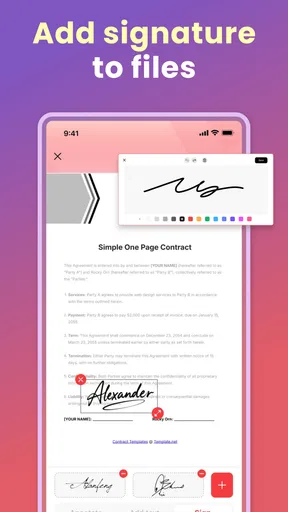
I would be more cautious if your work depends on advanced document production. People who edit contracts extensively, add complex annotations, compare revisions, sign documents frequently, or collaborate with a team may be better served by a purpose-built professional tool. A reader can be central to a workflow without being the right tool for every stage of that workflow.
I would also skip making it my main archive if I have not yet decided how I want to back up and classify important files. An app can make documents easier to view without solving the broader problem of long-term storage. For anything irreplaceable, I keep an independent copy and use clear file names so I am not relying on memory or a single interface.
Compatibility, cost, and the sensible way to begin
The app is free, and it supports Android version 8.0 or later. That makes it accessible to people using older compatible phones as well as newer devices. Before installing, I still check the operating system on the specific device I plan to use, particularly if I manage more than one phone.
Since it is free, the financial barrier is low, but time and trust are still costs. I would spend a short session testing several ordinary documents, checking the permission prompts, and looking through visible privacy and account settings. If the app feels clear and predictable, I can gradually introduce more important files. If it feels confusing, I have learned that before placing sensitive paperwork inside it.
Version 1.1.3 is the release I would evaluate today. With a recently released app, I would keep an eye on updates and read change notes when they are available. Updates can improve reliability, but they can also alter menus or access behavior, so I prefer to revisit permissions and settings after a significant change rather than assuming everything remains identical.
My cautious verdict
After looking at it as both a document utility and a trust decision, I see All-in-One PDF & Docs Reader as a reasonable free option for straightforward mobile reading and document management. Its appeal is practical: it gives document tasks a dedicated home and can make ordinary file routines less scattered.
I would not describe it as an automatic replacement for a file manager, a full office suite, or a specialist PDF editor. The 3.7 average tells me to keep expectations realistic, and the app’s relatively recent release makes a gradual trial more sensible than an immediate commitment. I would begin with harmless files, inspect every visible choice, and decide whether its organization style fits the way I actually use my phone.
My recommendation is therefore conditional but positive. If your main need is to read and keep track of PDFs and documents without paying for a larger productivity package, it is worth testing. If you handle highly confidential records or require advanced editing, use a stricter evaluation process and compare it with tools designed specifically for those responsibilities. The best reason to install it is not the broad promise of doing everything; it is the possibility that a focused, controlled reading workflow will make your everyday document tasks calmer and easier.
Verdict
Strengths of All-in-One PDF & Docs Reader
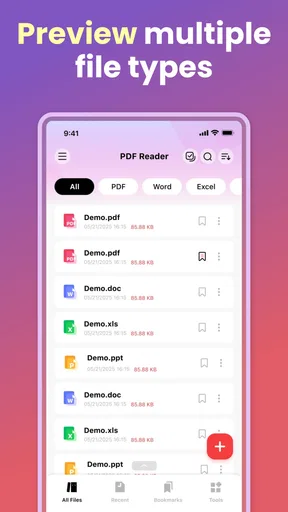
- Opens PDFs, Word files, spreadsheets, and presentations in one app.
- Useful search tools make finding text in lengthy documents quick.
- Supports offline access after files have been downloaded.
- Document thumbnails make browsing a large file collection easier.
- Includes convenient sharing options for sending files to other apps.
Limitations of All-in-One PDF & Docs Reader
- Some advanced tools may require a premium subscription.
- Large documents can take time to load on older devices.
- The interface may feel crowded because of its many features.
- Ads can interrupt the experience for users on the free version.
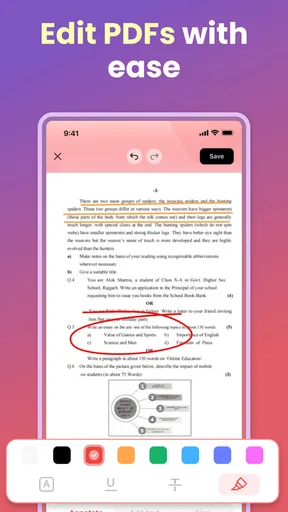
- Editing support may be more limited than dedicated office apps.
Other Releases by OCEAN FEATHER TECHNOLOGY INC
View All
PDF Viewer: Read, Scan & Edit
Productivity4.4
Similar Picks in This Category
View All
Google Calendar
Google LLC4.6

Google Drive
Google LLC4.3

Google Assistant
Google LLC3.9

Microsoft OneDrive
Microsoft Corporation4.6

Samsung Calendar
Samsung Electronics Co., Ltd.4.1

Microsoft OneNote: Save Notes
Microsoft Corporation4.6
Frequently Asked Questions
What is All-in-One PDF & Docs Reader used for?
All-in-One PDF & Docs Reader is designed to open, read, and manage common document formats from one mobile app. It is mainly useful for viewing PDF files, Word documents, spreadsheets, presentations, and other supported files without switching between several separate readers. Depending on the version, it may also include tools for searching text, zooming, bookmarking pages, sharing documents, and organizing files stored on your device.
Which document formats does All-in-One PDF & Docs Reader support?
The application is primarily intended for PDF and widely used office documents, although the exact list of supported formats can vary between Android and iOS versions and may change after updates. Users should check the app-store description before downloading if they depend on a particular Word, Excel, PowerPoint, text, or image format. Complex layouts, embedded fonts, formulas, animations, or advanced editing features may not display exactly as they do on a desktop computer.
Can I use All-in-One PDF & Docs Reader without an internet connection?
In many cases, documents already saved on your phone can be opened and read offline, which makes the app convenient for travel, school, work, or situations with limited connectivity. However, internet access may still be required for downloading files from cloud services, displaying advertisements, synchronizing documents, accessing online features, or installing updates. Offline availability can also depend on where the file is stored and whether it has been fully downloaded.
Does All-in-One PDF & Docs Reader allow users to edit or convert documents?
The app is mainly presented as a document reader and file-management tool, so its strongest functions are usually opening, viewing, searching, and sharing files. Some versions may offer additional features such as annotations, signatures, document conversion, compression, or editing, but these tools may be limited, require an in-app purchase, or work only with selected formats. Before downloading, review the current feature list carefully if professional editing is essential.
Is All-in-One PDF & Docs Reader safe and worth downloading?
The app can be useful for people who want one place to access several document types, especially when they frequently receive files through email, messaging apps, or cloud storage. Before installing it, users should check the developer name, recent reviews, update history, requested permissions, privacy policy, and subscription terms. Also be aware that free versions may contain advertisements or premium restrictions, so the overall value depends on your required features and tolerance for those limitations.
